💡 The Problem and Why It Happens
You bought $5.00 in initial credit to start using the Claude API, and the confirmation text showed a charge of $5.50 (including 10% tax) — but right after that, an extra $49.50 was charged and you're not sure why?
This happens because the Auto-recharge option is enabled by default at checkout. As soon as your balance hits the threshold condition, it immediately triggers a one-click charge for the default recharge amount of $45 (+ $4.50 tax = $49.50). If you haven't used any of that credit, you can get a 100% full refund.
Step 1. Turn Off "Auto-recharge" Immediately
To stop any further charges from going through, disable auto-recharge in the console first.
- Go to platform.claude.com (Claude Console) and log in
- In the left sidebar, go to Billing / Dashboard
- Under your organization's credit balance, click the green "Auto-recharge is on" text or open the credit settings menu
- In the popup, switch Auto-recharge to OFF and save
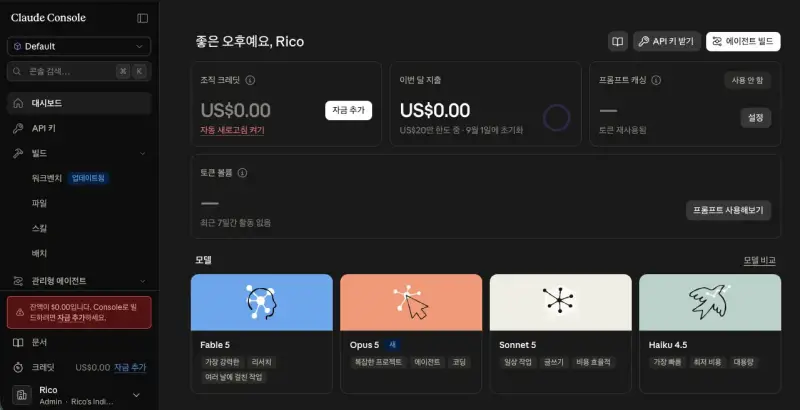
Step 2. Go to Claude Support
Open a support ticket to request a reversal of the automatic $49.50 charge.
- Go to support.claude.com
- Click the blue round chat bubble icon (💬) in the bottom-right corner (this launches the Fin AI Agent chatbot)
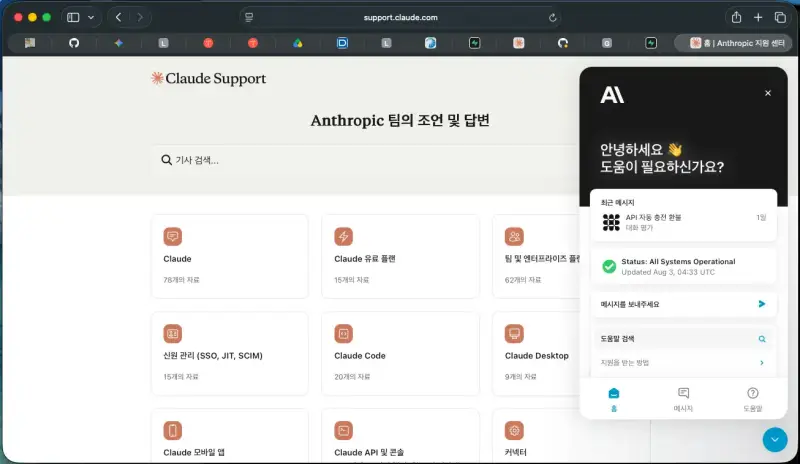
Step 3. Get Past the AI Chatbot and Reach a Human Support Agent
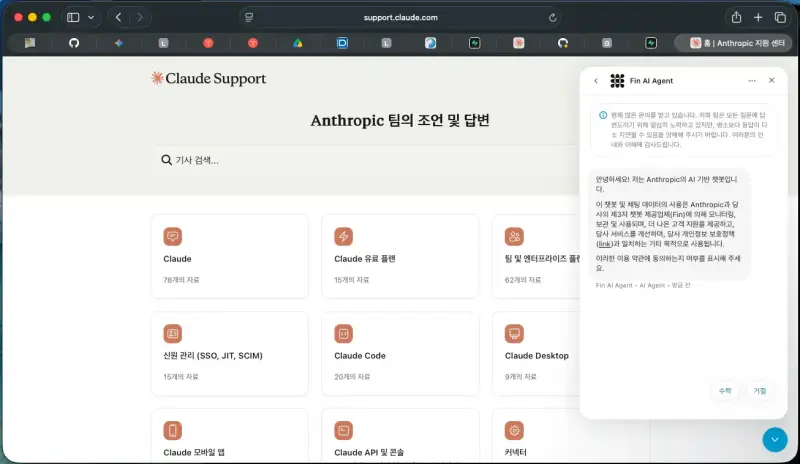
Once the chat window opens, agree to the terms and start the conversation.
- Click [Accept] on the terms-of-service prompt
- From the list of inquiry options, choose [Claude refund request] or [Subscription/billing issue]
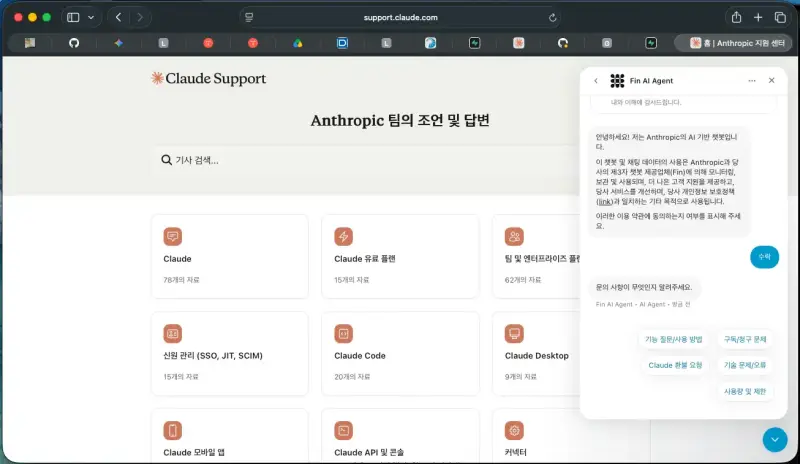
⚠️ Watch out! If the AI chatbot says you're on a "Free plan" and refuses to help (Troubleshooting)
Sometimes the AI chatbot only looks up your regular web account (claude.ai) and gives you an irrelevant answer like "Your account is currently on the Free plan, so there are no billing records."
The fix: Don't be thrown off by the chatbot's wrong answer — just copy and paste the API-specific English refund request form below into the chat input and send it. The system will pick up on the context and automatically escalate the ticket to a human agent.
📌 Refund Request Message to Copy and Use
Copy the template below and send it in the chat input. (Just replace the email address with your own API console email.)
This is a refund request for **Claude API (platform.claude.com)**, not Claude Pro.

- API Account Email: [your API console sign-up email]
- Issue: $45 (+tax = $49.50) was automatically charged right after purchasing $5 credits due to Auto-recharge.
- Details: I have disabled Auto-recharge now and have NOT used any of the recharged credits yet.
- Request: Please process a full refund of $49.50 and transfer this ticket to a human support agent. Thank you.
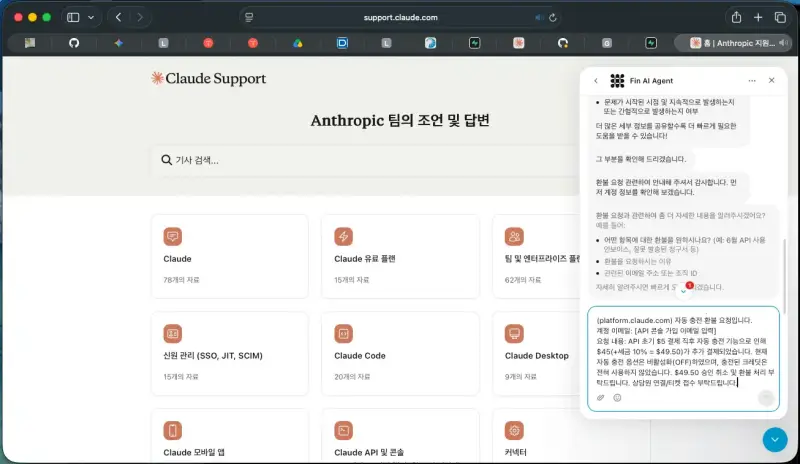
Step 4. Confirm the Charge Reversal Is Being Processed
- Once you submit the message, you'll receive a confirmation email at your registered address.
- Important: Hold off on making any API key calls until the refund is fully processed, so the full amount can be reversed without any credit being consumed.
- Support usually confirms and completes the $49.50 charge reversal within a few hours to one business day.
✅ Key Takeaways Checklist
- Turn off Auto-recharge: Always check the auto-recharge setting in console Billing after making a payment
- Don't use the credit: Avoid using any API credit until the reversal is complete
- Escalate to a human agent: Even if the AI chatbot gives you an irrelevant answer, leaving your API console email and the English form will get you connected to the support team